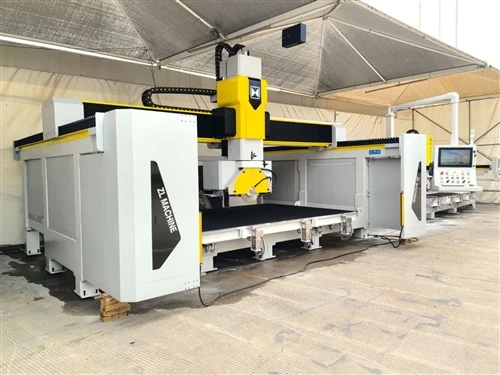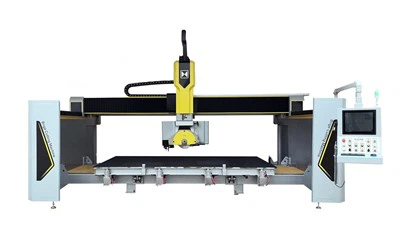
Hey there! As a supplier of Block 5 Axis Machines, I'm super excited to take you on a tour of what the control panel interface of these amazing machines is like.
First off, let's talk a bit about the Block 5 Axis Machine itself. If you're not familiar, you can check out more details about it on this page: Block 5 Axis Machine. It's a high - tech piece of equipment that offers incredible precision and flexibility in cutting and shaping blocks, whether it's granite, marble, or other materials.
The control panel interface of a Block 5 Axis Machine is designed to be user - friendly, even for those who aren't super tech - savvy. When you first approach the control panel, you're greeted with a large, high - resolution touchscreen. This touchscreen is the heart of the operation, allowing you to interact with the machine in a very intuitive way.
One of the first things you'll notice is the main menu. It's neatly organized into different sections, making it easy to find what you need. For example, there's a section for machine setup. Here, you can input all the necessary parameters for your job, like the size of the block you're working with, the type of material, and the cutting tools you'll be using. You can also set up the coordinate system, which is crucial for accurate cutting. If you're interested in other types of block - cutting machines, you might want to check out the Block CNC Machine and Block Profiling Machine.
Once you've set up the machine, you can move on to the programming section. This is where you create the cutting path for your job. The interface provides a graphical representation of the block and the cutting tools, so you can visualize how the cutting will take place. You can draw the shape you want to cut directly on the touchscreen, or you can import a pre - designed CAD file. The software then automatically generates the cutting path based on your input.
The control panel also has a real - time monitoring feature. As the machine is cutting, you can see all the important data on the screen, like the current position of the cutting tools, the speed of the spindle, and the feed rate. If there are any issues during the cutting process, such as a tool breakage or a collision, the system will immediately alert you. You can then pause the machine, make the necessary adjustments, and resume the cutting.
Another great feature of the control panel interface is the ability to save and recall programs. Once you've created a cutting program for a particular job, you can save it for future use. This is really handy if you often work on similar projects. You can just recall the program, make any minor adjustments if needed, and start the cutting right away.


The interface also offers a lot of customization options. You can change the language of the display, adjust the screen brightness, and set up user profiles. Each user can have their own settings and preferences, which makes it more convenient for different operators to use the machine.
In terms of safety, the control panel has several built - in safety features. There are emergency stop buttons that you can press in case of an emergency. The software also has safety interlocks to prevent the machine from operating if certain safety conditions are not met, like if the protective doors are open.
Now, let's talk about the hardware of the control panel. It's built to be durable and reliable. The touchscreen is made of high - quality materials that can withstand the harsh industrial environment. The buttons and switches are also well - designed and easy to use. The control panel is connected to the machine through a high - speed communication network, ensuring fast and accurate data transfer.
Overall, the control panel interface of a Block 5 Axis Machine is a powerful and user - friendly tool. It makes operating the machine a breeze, whether you're a seasoned professional or a newbie in the block - cutting industry.
If you're in the market for a Block 5 Axis Machine or have any questions about the control panel interface or the machine itself, don't hesitate to reach out. We're here to help you make the best decision for your business. Whether you need more information, a demonstration, or want to discuss a potential purchase, we're just a message away.
References
- Industry knowledge and experience as a Block 5 Axis Machine supplier.
- Technical documentation of Block 5 Axis Machines.